For every BC business with employees
Scheduling, HR and BC payroll you can just ask for.
Type “I need Friday off” or “publish next week” and Smart Punch takes care of it, checked against BC rules and confirmed with one tap. Whether you run a shop, a salon, a trades crew, a clinic, a café or an office, it runs your week from the first shift to payday, with CPP, EI, tax, overtime and stat holiday pay worked out for you.
- Ask in plain English, staff and managers
- Built for BC’s Employment Standards Act
- Direct deposit, T4s and ROEs
Ask Smart Punch
HR and scheduling, simplified. Just type it.
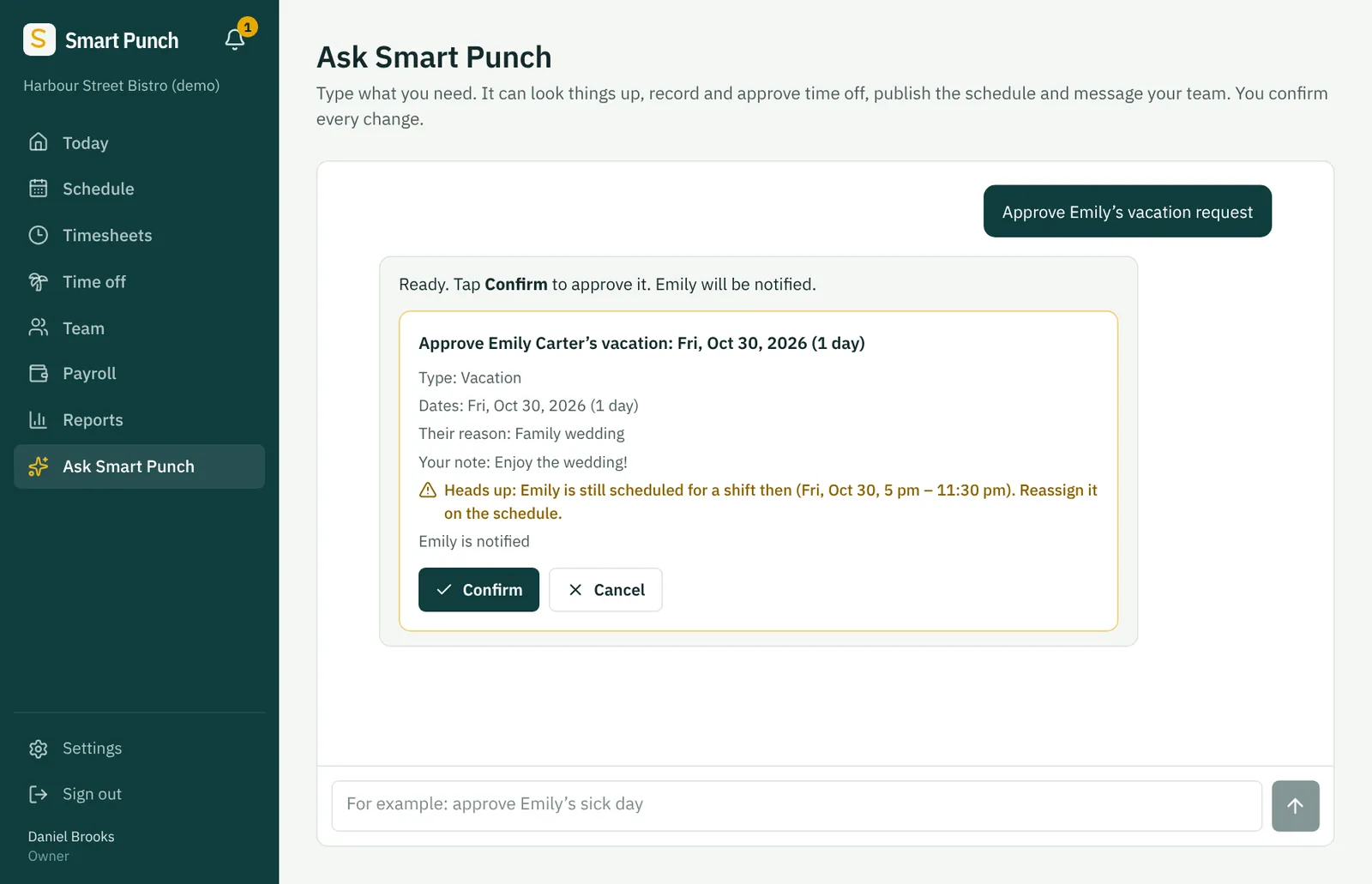
No forms to find and no menus to learn. Your team and your managers type what they need in their own words. Smart Punch fills in the details, checks them against BC rules and your schedule, and waits for one tap on Confirm.
Your staff type
- I need next Friday off for a family wedding
- I’m sick today
- When do I work next week?
- How much was my last pay?
- Tell my manager I can work Sundays now
You type
- Approve Emily’s vacation request
- Put Jack on unpaid leave Nov 1 to 15
- Who can cover Saturday afternoon without overtime?
- What will next week cost, with CPP and EI?
- Publish next week’s schedule
Type it
On a phone or a computer, in plain English. No need to know where anything lives in the app.
Check it
Smart Punch shows exactly what it will do, with dates and days written out. It flags problems first, like a sixth paid sick day or a shift that clashes with the leave.
Confirm it
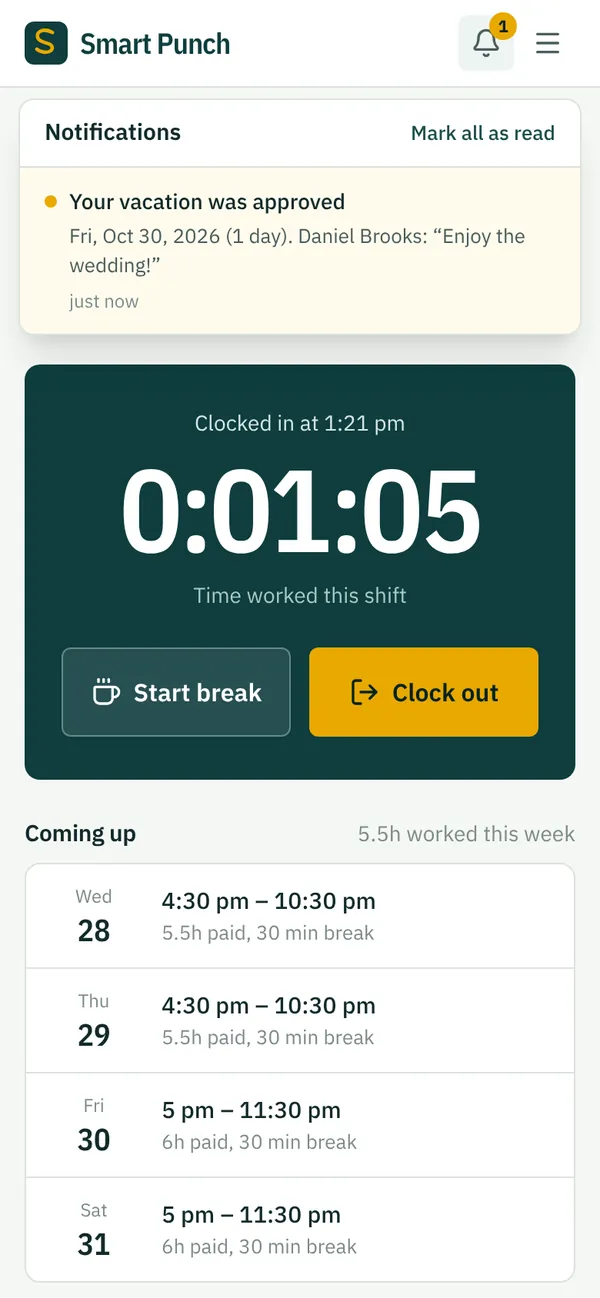
One tap and it’s done. The manager hears about new requests, and the employee hears the answer.
- Nothing is saved, sent or approved until a person taps Confirm.
- Through the assistant, staff only reach their own shifts, time off and pay.
- It never runs payroll or moves money.
The rules, built in
Smart Punch knows BC’s pay rules, so you don’t have to look them up.
How a week works
From the schedule to payday, in one place
Every step feeds the next. Shifts become clock-ins, clock-ins become approved hours, and approved hours become pay.
- Monday
Build the schedule
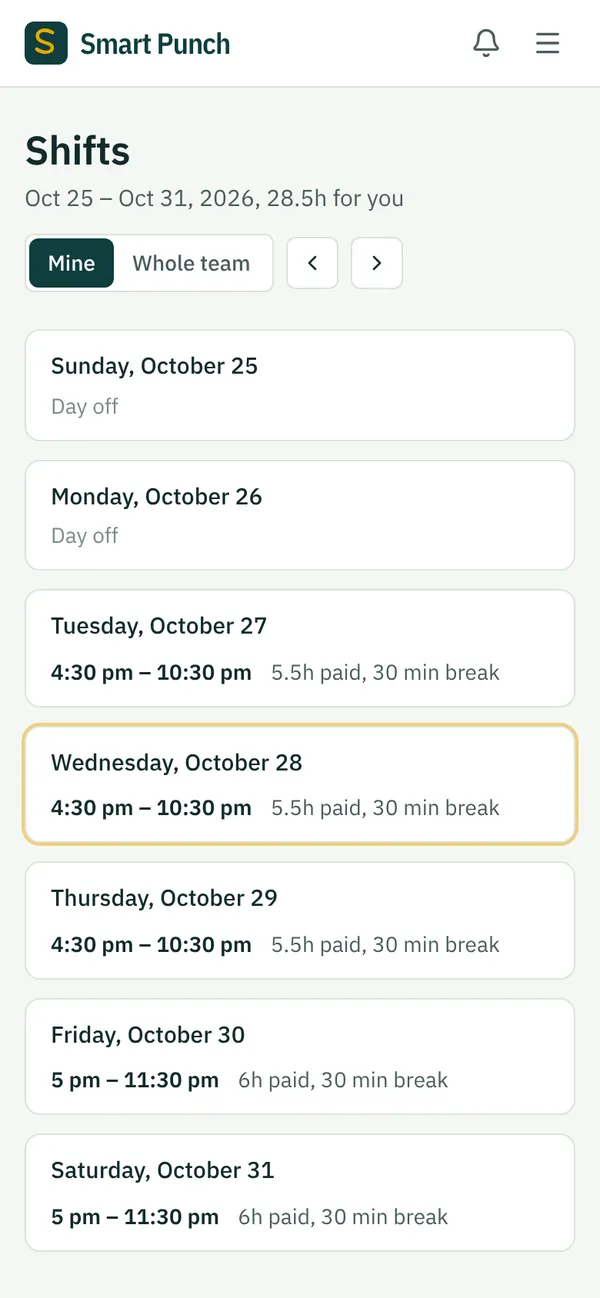
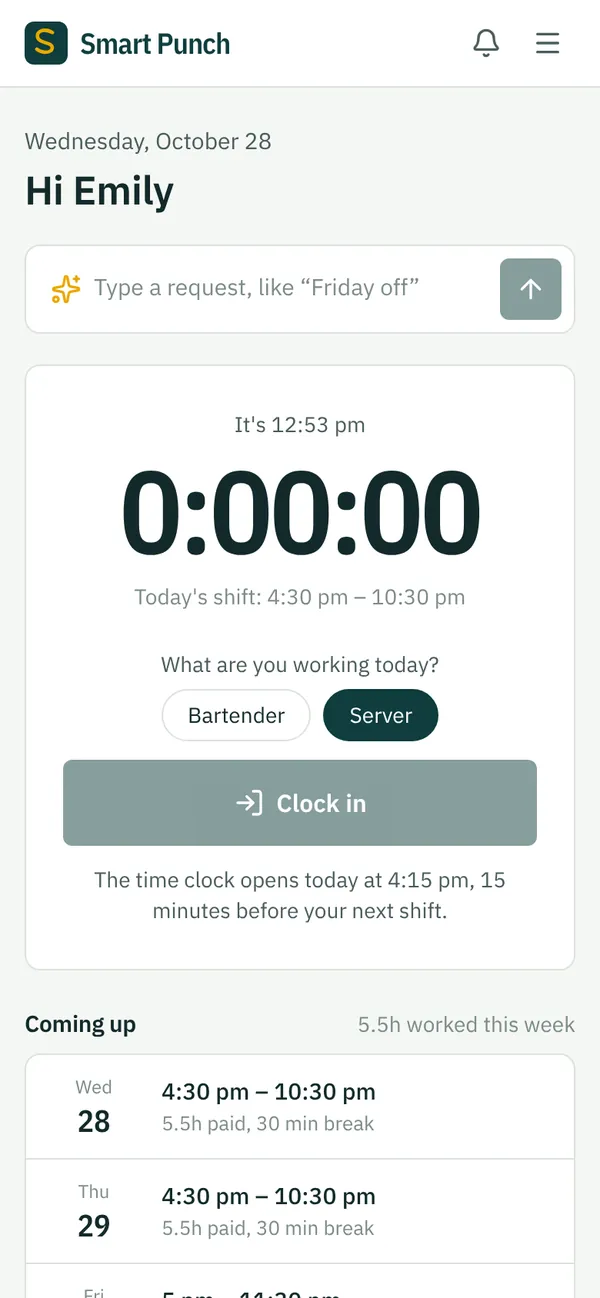
Copy last week, fill open shifts, then publish. Staff see their shifts on their phones.
- Every shift
Staff clock in
Only during their shift and only at work, on your Wi-Fi or near your workplace.
- End of the period
Approve hours
See worked against scheduled hours, fix a missed punch with a reason, then approve.
- Payday
Pay everyone
Review, add bonuses or tips if you use them, finalize. Upload the bank file and every stub is ready.
Everything you need to pay hourly staff
One app for the front line, the office and your accountant
Scheduling
A clear week grid, open shifts, copy last week, labour cost as you build, and warnings for BC’s rest and split-shift rules.
Time clock
Clock in and out, breaks and the role being worked, from any phone. Lock it to shift times and your location.
BC payroll
CPP, CPP2, EI, federal and BC tax, overtime, stat holiday pay, vacation pay and minimum daily pay, every pay period.
Role rates, tips and commission
Pay a different rate for each role, like a stylist who also works reception or a technician who also drives. Share tips or commission by hours worked, if your business has them.
Direct deposit
A standard Canadian payroll file for your bank. Upload it in business online banking and pay lands on payday.
T4s, ROEs and remittances
The T4 file for CRA, Records of Employment for Service Canada, and what to remit each month.
Payroll you can check
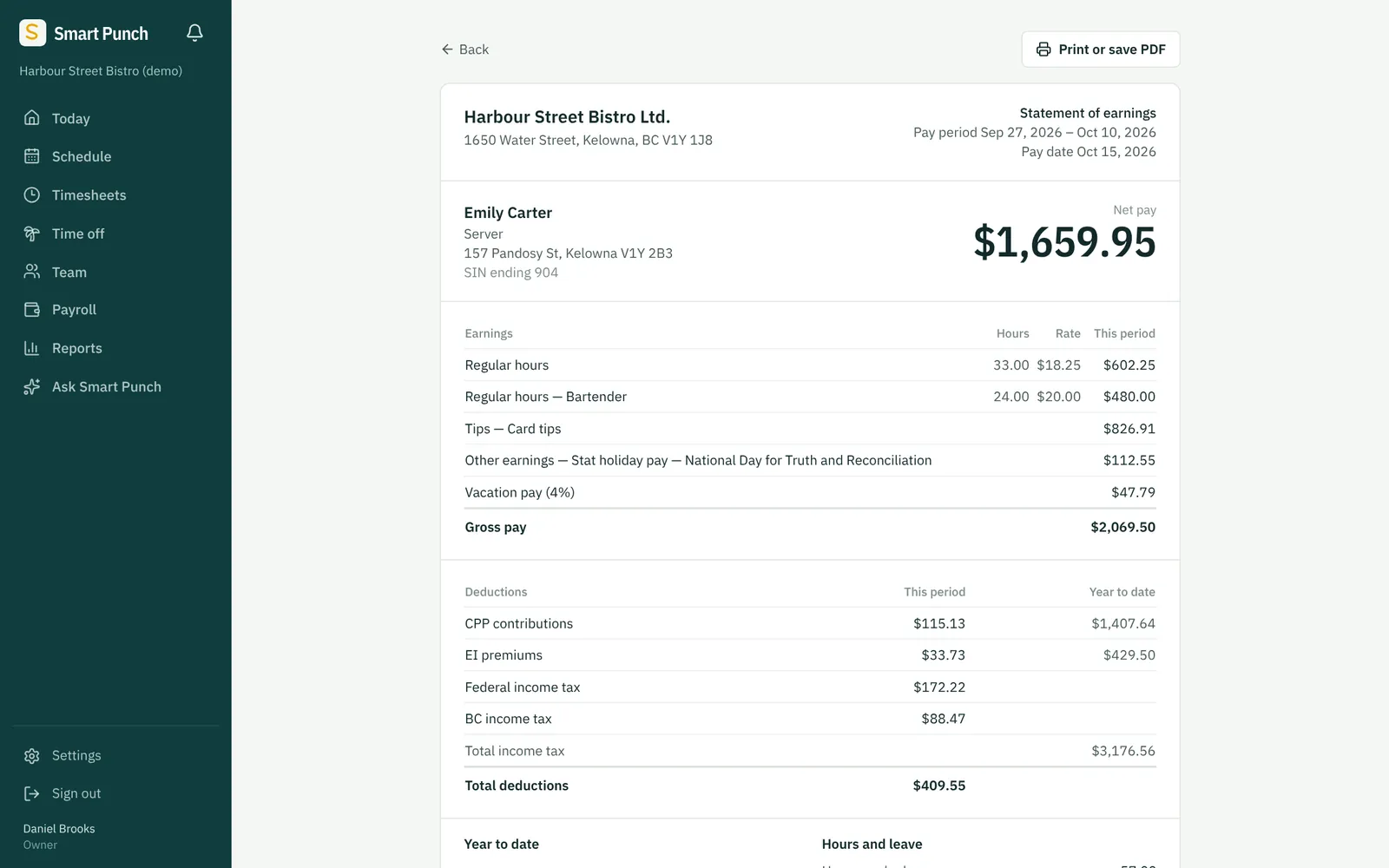
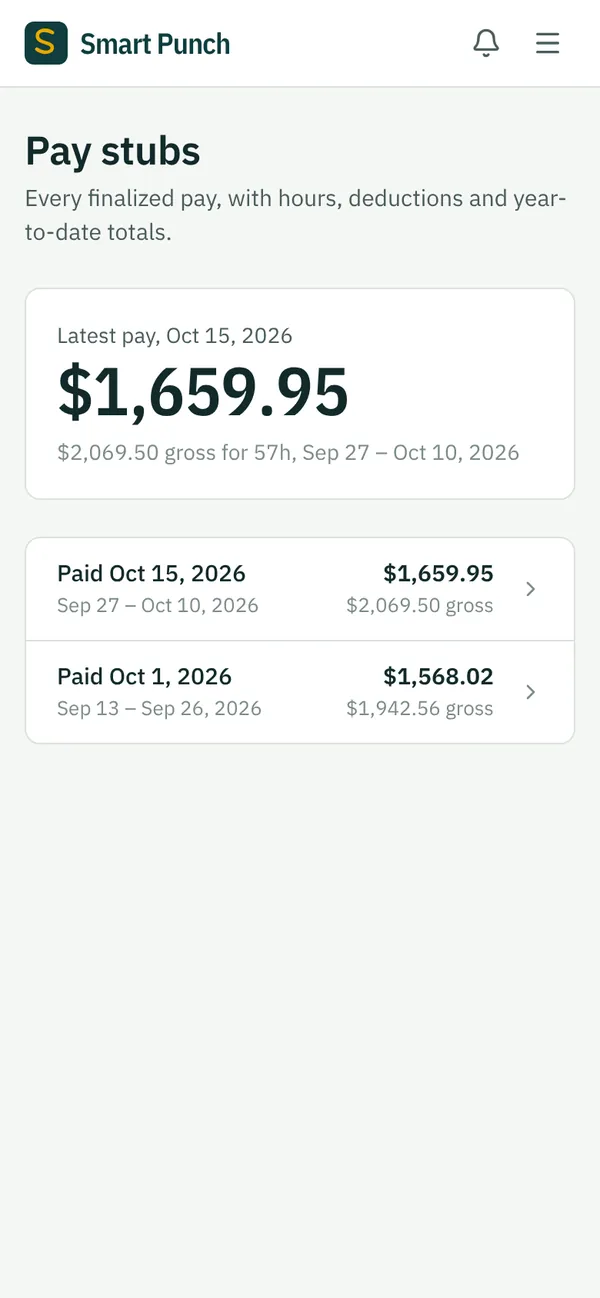
Every dollar on the stub has a reason next to it.
Hours at each rate, bonuses, tips, stat holiday pay, vacation pay and every deduction, with year-to-date totals. Staff see their own stubs in the app.
- Deductions use CRA’s published payroll formulas for 2026.
- Every change to Smart Punch is checked against 20,000 paycheques worked out separately from those formulas.
- Payroll warns you before you finalize: someone below minimum wage, a stat holiday not yet paid, hours not approved.
For any team, of any size
Built for part-timers, split shifts and people who wear more than one hat.
- Two shifts on one day count as one split shift, with a warning past 12 hours.
- Pay a different rate for each role. Hours worked in each role use that role’s rate, overtime included.
- Sent home early? BC’s 2-hour minimum is topped up automatically.
- Records of Employment for the people who move on, ready in minutes.
Help from people who know BC payroll
You’re never on your own with it
We set it up with you
A walk-through of your business, roles, team and year-to-date figures, so your first payroll is right.
Forgot password? Sorted in a minute
Staff ask from the sign-in page and get a one-time link by email. No waiting on a help desk.
Kept current
When CRA rates, BC’s minimum wage or the stat holiday list change, we update Smart Punch. There’s nothing for you to install.
See your own business in Smart Punch.
Book a 30-minute demo. We’ll show you a week of scheduling and a full payroll, using your kind of team.